Robotics and Logistic Network Guide
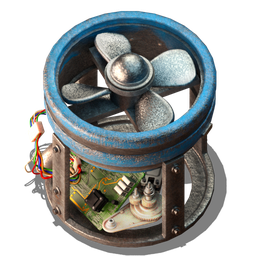
Unlock robotics in the right order and plan for the first robots
Start with the research path, not the placement. You need 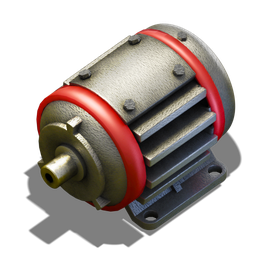


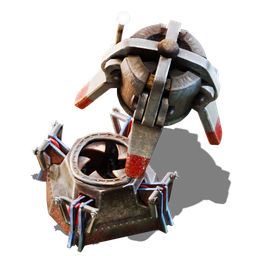
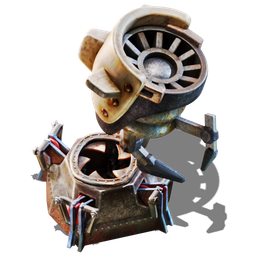
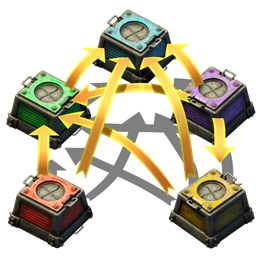

Do not rush to place chests before you can support the robot chain. The real bottleneck is the 


Here is the core chain at a glance:


Build the roboport backbone that makes the network work
Treat 
Place Roboport only where it will matter: around your main production blocks, your construction hub, and any expansion edge you expect to keep active. If you place a port in isolation, you are not building a network; you are just placing an expensive box. Once ports are connected, 


Your rule of thumb should be simple: if the roboports are not linked, the robots are not doing network work. Put the ports down early enough that ghosts and repairs can be handled, but do not expect miracles until the backbone is complete.
Use the right chest for the job instead of mixing roles
Once the network exists, chest choice is what makes it efficient. 

For the first network, keep it simple: feed production into Passive provider chest, request supplies with Requester chest, and dump excess into Storage chest. Use Active provider chest only when you specifically want to clear a line fast. Use Buffer chest when you want to reserve items for your own use or for build support without letting them disappear into general circulation.
Set up your first item flow so robots can actually move supply
Your first useful logistic setup should solve one problem cleanly, not three problems badly. Put production outputs into
Be careful with construction support:
That distinction is the key to avoiding self-inflicted shortages. If you request all your iron plates into a chest and then expect construction to pull from it, you will be disappointed. Build supply chests for supply, and reserve chests for demand.
Add construction support without starving your build materials
Once the network is stable, let
Use them to keep your base moving, but keep spare materials available before you depend on them. If the network is empty, construction stalls. If you are deconstructing something and you want the reclaimed items to go somewhere specific, pair the deconstruction with a matching request: when a
That gives you a clean way to recycle parts without losing track of them. It also means Buffer chest is especially useful when you want construction reserves held ready while your robots work. If you need to remove cliffs, remember that cliff explosives can come from a provider or storage chest in the network, or from your personal inventory.
Scale the network carefully and account for robot limits and risks
Do not overbuild the edge of your network just because it looks convenient. Each
That creates a clear trade-off: if you want rapid expansion, you must also accept higher power use and a larger replacement burden. Keep that in mind when you push the network outward. Robots are not combat units. They have no combat abilities, they will not flee when attacked, and they can be destroyed by hostile units and environmental damage, including melee enemies and flamethrower fire.
So expand in steps. Extend the roboport line, make sure supply chests are stocked, confirm that the area is covered, and then let the robots work ahead of you. If you send them too far into unsafe ground, you will spend more time replacing robots than benefiting from them.
Pages featured in this guide
- technologyRobotics
- technologyElectric engine
- itemBattery
- itemAutomation science pack
- itemLogistic science pack
- itemChemical science pack
- technologyLogistic robotics
- technologyConstruction robotics
- technologyLogistic system
- itemUtility science pack
- technologyAutomation
- itemFlying robot frame
- itemElectric engine unit
- itemSteel plate
- itemElectronic circuit
- itemLogistic Robot