Tips & Tricks: Factory Planning, Conveyors, Power Guide
Foundry is a factory-building sandbox that mixes voxel-based exploration with conveyor-based automation. These tips cover layout, logistics, power & fuel, ships & trading, research, and quality-of-life tricks to help you build efficient, scalable bases.
Basic approach and mindset
- Automate early and often. Whenever you place a new station (miner, smelter, assembler, etc.), set up loaders and belts so it runs automatically rather than relying on manual hauling. Automation removes tedium and prevents backtracking to catch up.
- Use vertical space. Foundations, loaders, and conveyor belts can be stacked; building up lets you compress infrastructure and create tidy multi-level production lines.
- Clear obstructions before building. Use the mining drill to remove trees, rocks, and other objects in your planned footprint to avoid gaps or awkward belt routing.
Inventory, hotbar and building workflow
- Use the hotbar tabs. Press Tab to cycle between three hotbar sets so you can keep building blocks, belts/loaders, and tools readily available without opening your inventory repeatedly.
- Use Blueprints to copy/paste repeatable factory segments. Blueprinting an efficient miner-to-smelter-to-assembler module saves time when scaling.
Conveyors, loaders and balancing
- Align loaders and belts carefully. Precise alignment prevents jams and maximizes throughput when connecting machines or stacking lines.
- Use Conveyor Balancer II/III to split and prioritize flows. Balancer tunnels let you set priority for inputs, outputs, or both via interactable switches — useful when feeding multiple production lines or smoothing uneven supply.
- Consider belt tiers when planning throughput. When using cargo ship pads (start/target pads), the target pad’s maximum effective throughput is limited by its ports and belt tier: a single target pad’s max intake is approximately 4800/min assuming all 20 ports are used and MK3 belts are feeding it. Do not push a single target pad beyond that — add a second target pad for overflow.
Cargo ships and space station logistics
- Cargo ships are great for long-distance transport but their throughput varies with distance. For large bases you will likely need many start pads and multiple target pads to avoid bottlenecks.
- Target pads accept traffic from any number of start pads; ships will queue and take turns.
- Use the Space Station UI to manage recurring trade orders and finances:
- Set recurring trade orders with Min to keep thresholds so purchases do not trigger below your desired stored amount.
- Toggle ships to allow recurring orders and ensure ships have no other tasks for them to execute automatically.
- Research Space Station upgrades for Production Efficiency (improves assembly line crafting efficiency, starting at +2%) and Product Weight (reduces cargo weight to lower shipping needs, with multiple improvements possible).
Power, Boilers and fuels
- Steam Turbines each require a Boiler supplying steam; one Boiler provides enough steam for one Steam Turbine at full output.
- A Boiler requires energy to produce steam. Different fuels have different burn times and practical output;
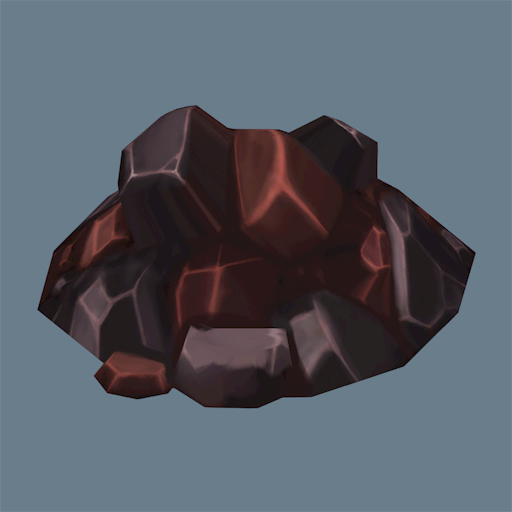
- Match fuel burn rates to your Boiler demand and prefer automated fueling chains where possible.
Research and progression
- Invest in mining and efficiency research early to increase throughput and lower long-term input costs.
- Some research requires modest cost items; prioritize nodes that yield direct production or transport gains (e.g., mining efficiency).
Usability and settings
- Use the optional Pressure mechanic if you want a more challenging logistics layer.
- Reroll maps at game start if your initial seed lacks convenient nearby resources or landing positions; the world is seed-based and restarting generates different maps.
- Adjust UI and controls for comfort — Foundry receives frequent UX improvements and small tweaks can speed up building and management.
Multiplayer and community tips
- Multiplayer supports Steam server hosting and direct IP connections; co-op can greatly speed early progression and makes long build sessions more fun.
- Expect the game to feel like a lighter, more compact take on larger factory games; design your base with compactness in mind and automate repetitive tasks.
Practical build suggestions
- Keep modules modular: design 1× production cell that you can copy-paste (miners → smelters → assemblers → storage → belts).
- Plan capacity before scaling: estimate belt/tile throughput and add parallel lines rather than lengthening single lines when production increases.
- Use multiple target pads and balanced conveyor inputs to avoid single-point shipping bottlenecks.
Use these tips as a baseline and adapt them to your preferred playstyle — whether compact, vertical factories or sprawling multi-pad logistics networks.