Automation Guide: Efficient Production Setups & Balancers
Automation makes your factory run without constant micromanagement: routing goods, controlling machinery, and scheduling ships and elevators so production scales smoothly. This page collects the core automation tools, best practices, and tuning options you’ll use to turn designs into self-sustaining systems.
Core automation buildings & transport
- Conveyor Belts / Loaders: Use loaders and belts to move items between stations. Align loaders and belts carefully when placing stations — you can stack foundations, loaders and belts vertically to save space.
- Conveyor Balancers: Tunnel-style balancers (multiple tiers exist) let you prioritize inputs and/or outputs. Use the front/back switches on the balancer to set which lane(s) get priority to even out throughput or protect critical lines.
- Trains / Train Engine: Trains in Foundry are one-directional. For push-pull operation, place a train at both front and back of the train set (two engines).
- Freight Elevators (I / II / III): Freight Elevators are placed as top/bottom pairs and will automatically excavate the column between them. Use them to move goods vertically fast and without needing manual excavation.
Fluid & power automation interfaces
- Boilers and Pipe Networks: Each Boiler requires a continuous water input from either side. Boilers can be daisy-chained (ports are bidirectional).

Production flow & efficiency
- Automate everything early: When you place a station, wire up loaders/belts and automation immediately to avoid repetitive backtracking and to keep throughput steady.
- Height & space usage: Build vertically where possible — stacking transport and loaders reduces footprint and simplifies routing.
- Production Efficiency & Product Weight (Space Station R&D): R&D upgrades can improve production efficiency (producing extra outputs without additional inputs) and reduce product weight (fewer cargo ships needed). Invest in R&D to amplify automated throughput and reduce logistics cost.
Shipping and recurring trade
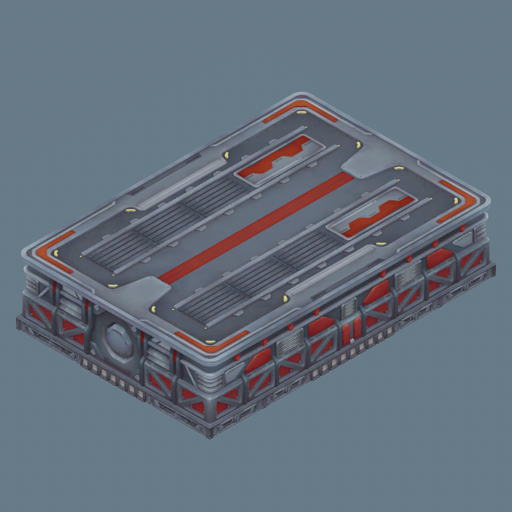
- Recurring Trade Orders: Configure recurring trade orders with minimum-to-keep values. Idle ships with the “execute recurring trade orders” permission will perform these automatically when conditions are met. Use this to maintain stock levels or automatically export surplus.
Machine behavior and tuning
- Machine Tuning: Many machines expose tunable parameters such as speed and power consumption. Adjust machine tuning to balance throughput against energy budget and downstream capacity.
- Assign priorities and buffer sizing: Use balancers and storage layout to prioritize scarce inputs and to create buffers between production stages so upstream bursts don’t stall downstream lines.
Layout tools and scaling
- Blueprints / Copy-Paste (experiment/roadmap): Foundry includes or is developing blueprinting tools to copy parts of your factory and paste them elsewhere. Use blueprints to replicate proven cells (mining → refining → assembly) and scale production cleanly.
- Use hotbar tabs: Use the hotbar tab switching (Tab by default) to keep frequently placed automation pieces accessible and speed up construction.
- Remove obstructions: Clear terrain (mining drills) before laying foundations and conveyors to avoid gaps that disrupt automated routing.
Throughput optimization tips
- Balance inputs and outputs: Place enough unloaders, balancers, and storage so that transport assets (ships, trains) can operate without waiting on full/empty conditions.
- Match machine rates: Size upstream supply and downstream handling to the crafting rates and possible tunings of machines. If you increase machine speed, ensure conveyors, balancers, and storage can keep up.
- Parallelize identical cells: Rather than one oversized line, replicate smaller identical production cells with their own feeders and balancers to reduce single-point bottlenecks.
- Monitor chokepoints: Watch for belts, tunnels, or pipe networks hitting capacity limits (including Pipe Network complexity and total throughput caps) and split networks or add redundancy where necessary.
Practical automation patterns
- Local buffer + balancer feeding multiple machines: A central storage chest fed by incoming belts, balanced to multiple identical machine inputs, gives both redundancy and easy scaling.
- Priority lane for critical input: Use a conveyor balancer to reserve a lane for a critical material while allowing overflow on a secondary lane.
- Vertical freight elevator cores: Use paired freight elevators to move goods between factory layers, with conveyor links on each floor for distribution.
- Ship-based cyclical logistics: Configure recurring trade orders plus sufficient SSRW unloaders so ships cycle continuously without waiting for dock space.
Automation in Foundry is about matching rates, reducing manual intervention, and using the right tool for each logistic role: conveyors and loaders for local transport, balancers for throughput control, elevators and trains for bulk vertical/horizontal movement, and ships/warehouses for strategic long-distance trade. Tune machines and split networks before scaling, and replicate proven blueprinted cells for predictable expansion.