Automation Wire Bridge
Overview
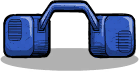
The bridge can be rotated before placement, and the arrow in the center shows its direction if you are unsure which way it is facing. Because the signal only travels one way through the bridge, it can be used to enforce clean routing and prevent accidental feedback from neighboring lines.
- The signal always goes from white input to green output.
- Press O to rotate the bridge before placing it.
- If the direction is unclear, check the arrow in the middle of the bridge.
- It can jump over any other kind of wire.
- A broken bridge does not interrupt the electrical connection, even if it has been damaged by overload.
One important behavior to keep in mind is how it handles overload. If overload occurs on a line connected to the bridge, the bridge itself is damaged before the connected wire is overlaid, and even a failed bridge continues to pass power. That means it may remain functionally connected after being damaged, which can make troubleshooting less obvious than with a normal wire break.
Other entities of this type
- [DEPRECATED] Steam Turbine
- Acoustic Art Panel
- Aero Pot
- Airborne Critter Bait
- Airborne Critter Condo
- Airborne Critter Lure
- Airborne Critter Trap
- Airflow Tile
- Algae Distiller
- Algae Terrarium
- Amber Fossil
- Anatomy Poster
- Ancient Specimen
- AND Gate
- Anti Entropy Thermo-Nullifier
- Apothecary
- Arcade Cabinet
- Artifact Analysis Station
- Artifact Transport Module
- Atmo Sensor
- Atmo Suit Checkpoint
- Atmo Suit Dock
- Atmo Switch
- Auto-Sweeper
... +534 (see sidebar for full list)