Game Modes
Overview
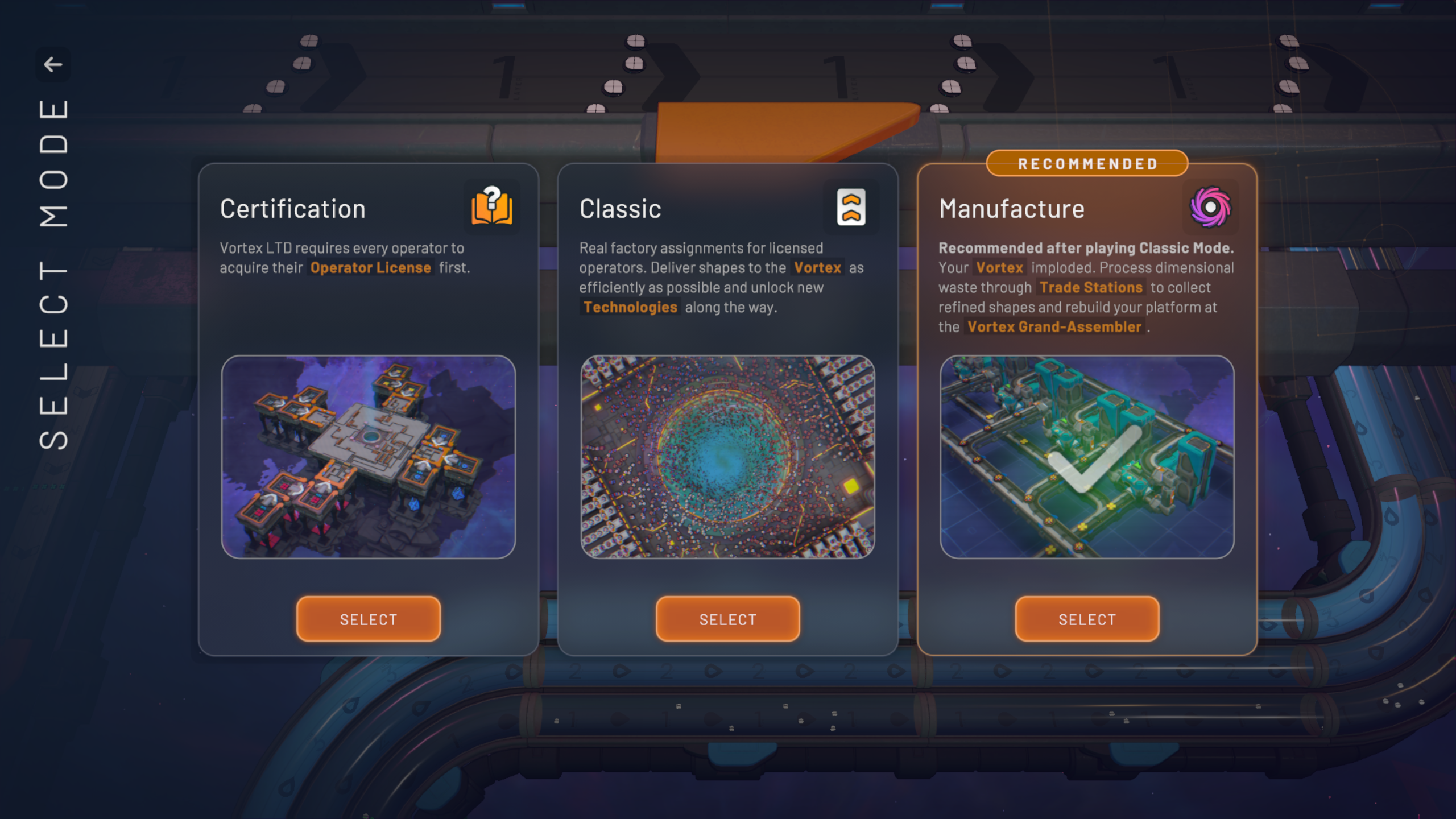
When starting a New Game from the Play menu, the game prompts the player to choose a Game Mode. Choosing Certification immediately starts a new game with a tutorial. Choosing either Classic or Manufacture opens the Scenario selection, where the player picks a Scenario that determines available part types, starting platforms, camera position, guaranteed resource patches and several other savegame defaults.
The default Scenarios are grouped under the three modes: Certification, Classic and Manufacture. Certification is the tutorial scenario used to acquire your Operator Certification; completing Certification seamlessly transfers the save into a Normal or Hard Classic game. Classic contains multiple Scenario variants: Regular (the standard scenario recommended after certification), Hard (increased shape goals), Insane (extremely hard goals and more demanding factory design), and Hexagonal (uses the Hex shapes configuration). Manufacture scenarios focus on processing exotic/refined shapes using Trade Stations to work toward building the Vortex Grand Assembler.
After selecting a Scenario a second dialog opens that allows modifying save-specific settings before creation. The first tab (“General”) lets you set the savegame name and select a difficulty; these are the only settings that remain editable after the save is created. Difficulty presets include Relaxed (free copy/paste cost, unlimited platform capacity, 60% goal multiplier), Normal (free copy/paste, 100% platform capacity, 100% goals) and Challenge (100% copy/paste cost, 80% platform capacity, 150% goals). A Custom difficulty is also available that lets you set multipliers between 0% and 1,000%.
Scenario selection also interacts with Scenario Presets. Each Scenario is associated with an internal Scenario Preset that supplies default Map Generation settings and active Challenges; upon selecting a Scenario the first matching Scenario Preset is applied as defaults on the subsequent screens. The Map Generation tab available before starting a save allows adjusting resource patch likeliness, sizes, individual patch type probabilities, and the generation Seed; the Seed is an integer that, combined with the Map Generation settings, determines all resource positions and contents and can be shared to reproduce the same map.
Challenges are optional gameplay modifiers that can be toggled when preparing a new save. Examples include disabling certain buildings or mechanics (No Cutter, No Splitters), replacing machines (No Straight Stacker), limiting allowed platform sizes (Only 1x1 Machine Platforms), and behavior changes (Trains Derail). The Insane Scenario uses a preset Challenge (No Straight Stacker) by default.
Practical notes and concise behaviors:
- Certification immediately starts a tutorial save; completing it converts the save into a Classic game (Normal or Hard) without restarting.
- Selecting Classic or Manufacture leads to a Scenario list; pick the Scenario to control available part types, shapes configuration (Quad or Hex), maximum layers and starting map features.
- After Scenario selection you can change the save name and difficulty; other advanced settings (Map Generation, Challenges, Seed) are applied from the selected Scenario Preset but can be adjusted before creating the save.
- Difficulty presets alter copy/paste cost, platform capacity and goal multipliers; use Custom to tune each multiplier between 0% and 1,000%.
- Use the Map Generation Seed to share or reproduce identical maps when the same generation settings are used.