Wiki: Shape Structure, Codes & Crystal Rules Guide
Shapes are the central game object in Shapez 2: discrete multi-layered items composed of parts (quadrants/segments) and colors that you extract, modify, route and deliver to meet goals.
Structure of a Shape
- A shape is made of layers; each layer is made of parts (called quadrant blocks in quad configuration).
- Part = a pair of a Part Type and a Color.
- Part connectivity: parts are considered connected horizontally if they are directly adjacent (edges touching). Diagonals/corners do not count. Pins do not count as connecting parts.
- Support rules: a part is supported if any of the following apply:
- it is on the bottom layer of the shape,
- it is directly above a supported part,
- it is horizontally connected to a supported part,
- it is a crystal directly beneath another supported crystal. These rules matter for gravity behavior and some machine effects.
Shape Configurations
- Quad: default configuration — layers have 4 parts.
- Hex: used in the Hexagonal scenario — layers have 6 parts.
- Flexible ruleset: used by the Shape Inspector and some UI icons; layers can have any number of parts from any configuration, but all layers in the shape must contain the same number of parts.
- Strict ruleset: used for Signal Producers and Item Producers in normal gameplay; shapes must only contain parts allowed by the current Shapes Configuration and must have the matching number of parts per layer.
Part Types (what can appear in a layer)
Quad and Hex share some families of parts; availability depends on scenario and shape configuration:
- Quad parts (examples): Circle (C), Square (R), Star (S), Diamond (W), Refined Shape X (X), Refined Shape Y (Y).
- Hex parts (examples): Hexagon (H), Flower (F), Gear (G).
- Common parts that exist in both configurations:

Colors
- Available color codes: Uncolored (u), Red (r), Green (g), Blue (b), Cyan (c), Magenta (m), Yellow (y), White (w), Black (k).
- How colors appear visually depends on the game's Color Mode setting.
- Fluids have analogous color options (see Fluid Colors in the game).
Crystals and Crystal Rules
- Crystals are a part type that can be colored.
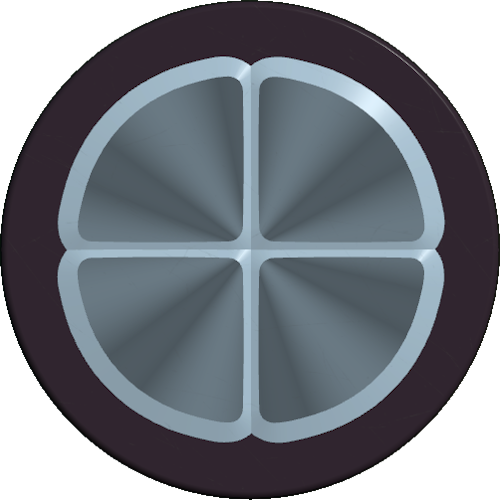
- Crystals also interact with support rules: a crystal directly above a supported crystal can be considered supported.
Shape Gravity and Post-processing Rules
- After machines that cut or otherwise alter shapes, Shape Gravity Rules are applied to the result. Gravity will remove unsupported parts/layers according to the support definitions above.
- Machines' rotation does not change which halves they operate on; most machines operate on east/west halves regardless of their visual rotation.
Shape Codes (serialization and sharing)
- Shapes can be represented by Shape Codes — compact strings used to move shapes between the game and external tools or share in blueprints.
- Format:
- Each layer is serialized bottom-to-top and layers are separated by colons (:).
- Within a layer, each part is represented by two characters: the Part Type code followed by the Color code (use - for parts that cannot have color).
- Parts in a layer are ordered starting from the top-right part then clockwise.
- Shape Codes respect the Part Type and Color codes listed above and are widely used for Blueprint files and sharing via community tools.
Shape Inspector
- Opened by clicking any shape in the UI.
- Features:
- 3D view with adjustable camera angle.
- Controls to space out quadrants and layers for inspection.
- Shows stored amount of the shape and delivery statistics.
- Navigation through shape history.
- A panel listing all Part Types and Colors available in the current Scenario.
- The Shape Inspector uses the Flexible Ruleset to allow previewing shapes that may not be valid under the current Scenario strict rules.
Scenarios and Validity
- Different Scenarios affect which Part Types and number of layers are allowed:
- Standard scenarios limit shapes to 1–4 layers (Insane allows 1–5 layers).
- The Hexagonal Scenario enforces the Hex configuration (6 parts per layer).
- Shape Validity Rules exist to validate shape inputs (e.g., Shape Codes). The game exposes two rulesets (Flexible and Strict) as noted above.
- Shapes created from Shape Codes can contain more layers than allowed by the current Scenario; excess layers will be removed when the shape passes through machines that enforce Shape Gravity Rules.
Logistics and Simulated Machines
- Simulated Machines (in UI/logic contexts) accept shape and color signals instead of physical shape items and output corresponding signals; they mirror real machines’ logical behavior for planning and layout purposes.
- Machines that operate on shapes follow the same connectivity/gravity rules described above.
Blueprints and Sharing
- Blueprints (.spz2bp files) store assembled layouts, including shapes or shape-producing setups.
- The Blueprint Library stores blueprints in a folder with optional toolbar.json for quick access (9 toolbar slots).
- Sharing: community sites and the Discord blueprint channels are the main sharing venues; Shape Codes are commonly shared in those places.
Modding and Data Access
- Shapez 2 supports mods natively and provides documentation, sample mods, and an API (ShapezShifter).
- Game data (exported game data, scenarios, blueprints, savegames, persistent data) is accessible via the game's UI or file system paths for each OS.
- Modders can extend Part Types, Colors, and other shape-related mechanics through the modding API and provided documentation.
This page summarizes the canonical rules and data representations for shapes in Shapez 2: their composition, codes, inspector, scenario-dependent constraints, and how the game processes them after machine operations.